Hoy nos toca hablar sobre las ayudas automáticas y semiautomáticas en el anidado. Si pierdes un poco la paciencia con el proceso de anidado, te aseguro que con estas ayudas, vas a adelantar bastante trabajo y te van a hacer la vida mucho más fácil.
Lo primero que quiero que entiendas es que las ayudas automáticas y semiautomáticas funcionan como un ayudante virtual que anida las piezas de la manera más eficiente y posible que encuentra el programa. Suena estupendo en la teoría, y para que en la práctica también lo sea, es necesario contar con criterio y aplicar límites y condicionantes para que las sugerencias que te da el programa sean lo más acertadas posible.
Como ya habrás podido suponer, esto te ayuda a ahorrar tiempo, porque te ahorran el proceso de tener que pensar en cómo anidar tus piezas una por una. Y si para ti el tiempo es oro, esto es algo realmente valioso.
Vamos al lío.
A continuación, te voy a explicar de forma detallada, cómo hago uso de las diferentes ayudas automáticas de todo tipo que Lantek tiene disponibles para ti.
Utilizar un anidado guardado.
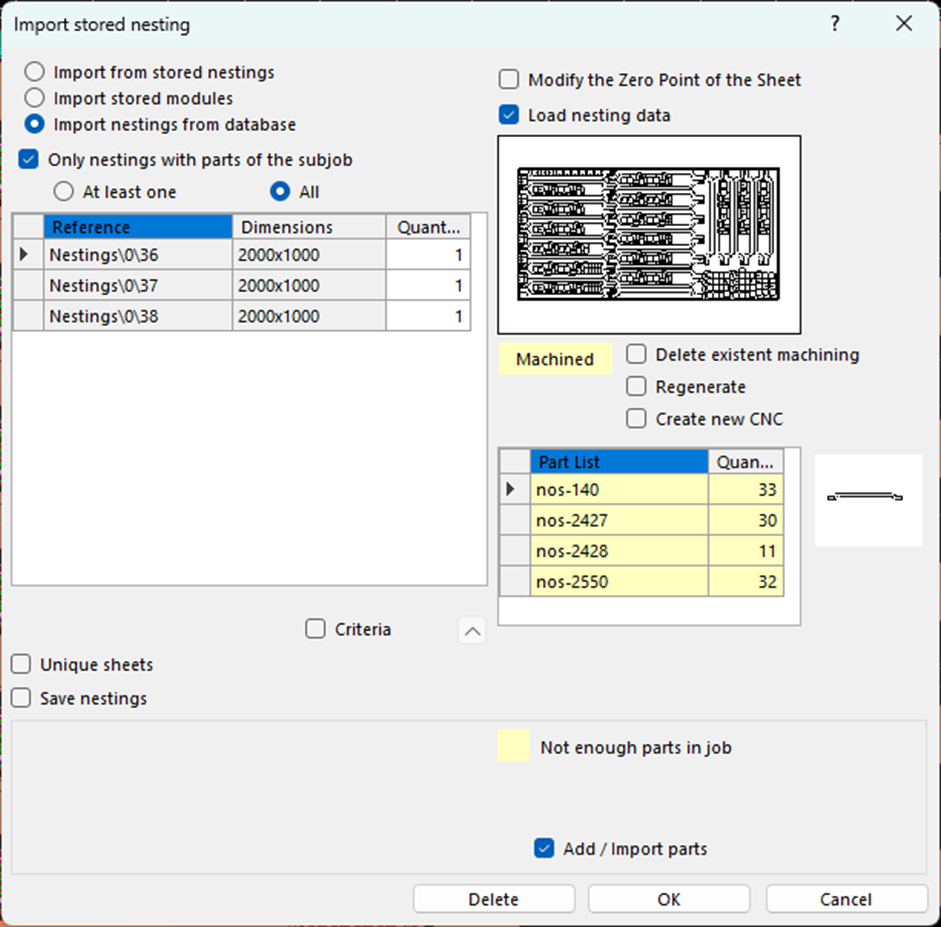
Es el primer sitio donde voy. Una vez tengo las piezas seleccionadas en el trabajo y paso al entorno de anidado, lo primero que hago es comprobar si tengo un anidado guardado que me pueda servir. En el primer menú “subtrabajos” se pulsa en la opción “Importar anidado almacenado”. En caso de que exista un anidado anterior que tenga las mismas piezas ya tienes el trabajo prácticamente hecho. Sólo debes importarlo, elegir la cantidad de chapas que vas a hacer con ese anidado y definir si quieres que te importe el anidado o también quieres que te importe el mecanizado.
Ayudas en automático.
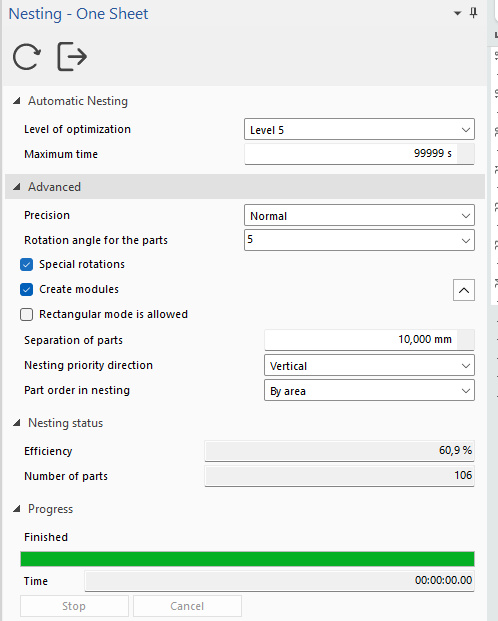
Si no tienes la suerte de poder importar un anidado anterior, entonces tendrás que crear uno de cero.
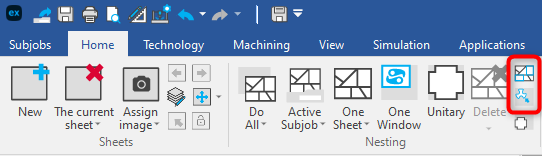
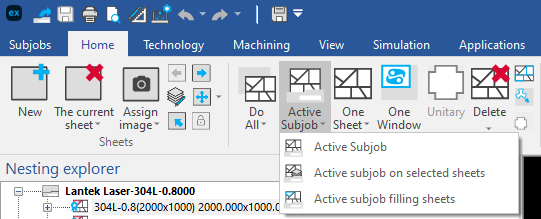
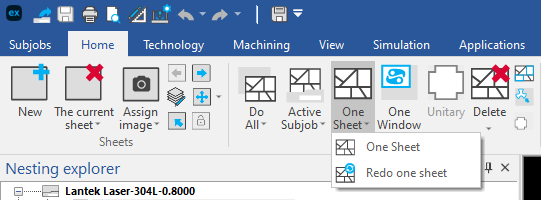
En el menú de Lantek, tienes varias opciones en el menú “Inicio”.
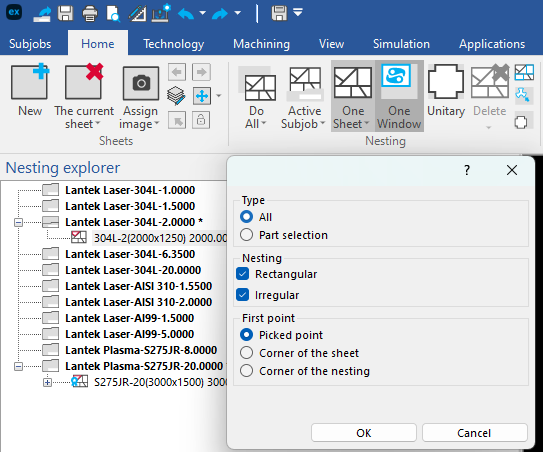
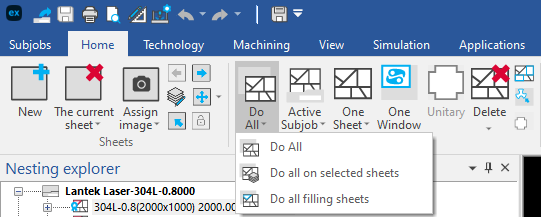
● Hacer todo: Te creará de forma automática el anidado y hasta el mecanizado si lo tienes previsto en la configuración de todos los subtrabajos, incluyendo diferentes máquinas, calidades de chapas, formatos (incluyendo retales que tengas isponibles) y espesores.
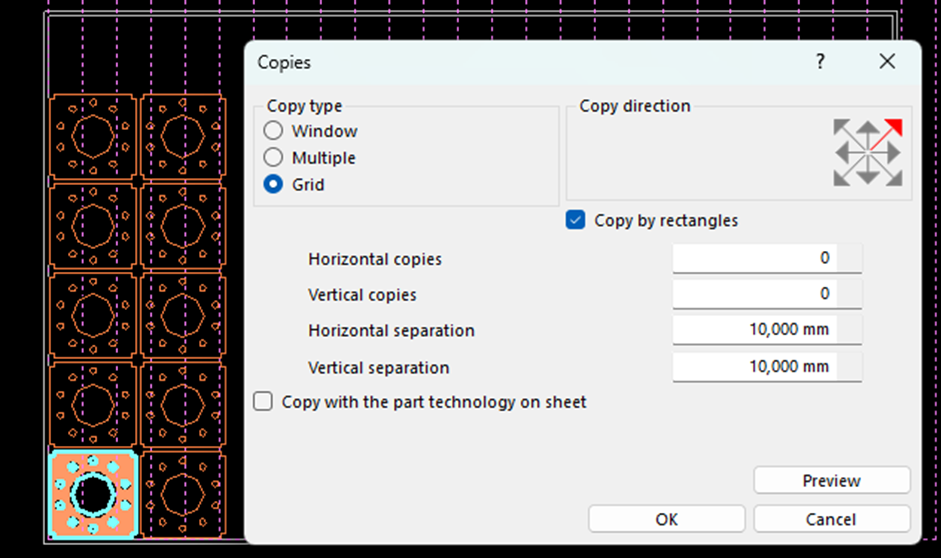
Advantages of automatic and semi-automatic nesting aids.
Lantek´s automatic and semi-automatic nesting aids offer you numerous advantages that deserve to be highlighted.
Firstly, thanks to the automatic positioning of the parts, valuable time is saved that was previously dedicated to manually locating, copying and pasting, each one of them onto the sheet. In addition, by having automatic rotation and automatic mirroring of the pieces, you can make the most of the surface of the sheet and avoid waste material as much as possible.
Another benefit of the automatic adjustment of the separation between pieces is that it guarantees adequate space between each of them to avoid collisions and ensure optimal cutting quality.
Finally, the use of these aids significantly reduces the possibility of human error, which translates into greater efficiency in the cutting process and reduced costs.
That´s all.
In my experience, I have noticed that there is a certain tendency to not take full advantage of these functions and continue to do the nesting in a very manual way. It is true that sometimes you think that manual methods may be faster, but after spending some time discovering some of the advantages that Lantek offers, you will become a true fan of these automatic aids.
So, if you are a Lantek user and have not yet tried these functions, I encourage you to do so and, I tell you, that combining these aids with the configuration of hot keys can make your productivity literally explode. But I will explain that to you in future articles which you can read soon.